




















Workplace Management
Structure your organisation. Control every branch. Run everything from one place.
What Is Workplace Management?
Every growing organisation reaches a point where a single location is no longer enough. A second office opens. A warehouse is added. A new plant comes online in another city. The business expands — and with it comes a fundamental operational question...
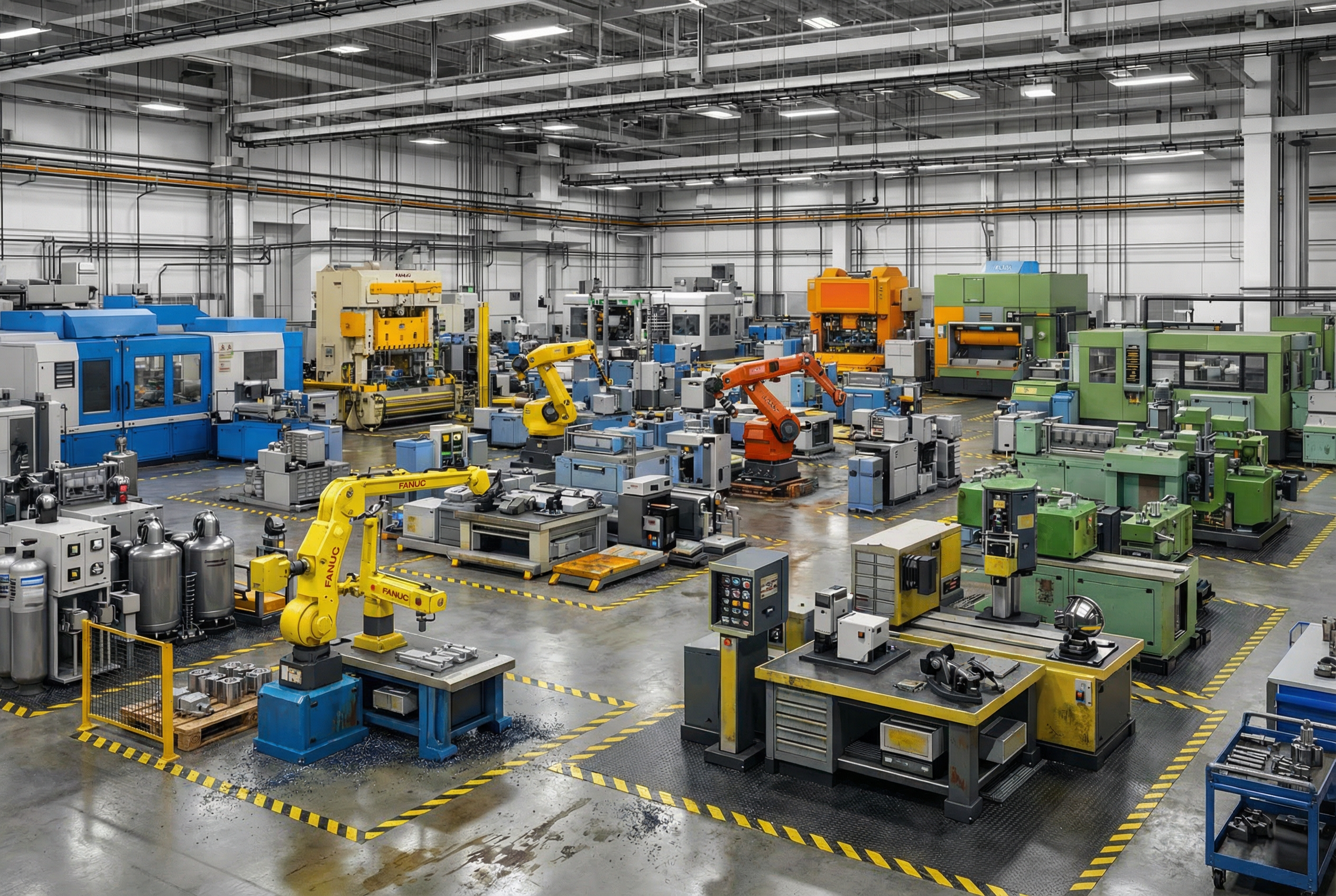
Workplace Management is the discipline of organising your business locations into a structured, governed hierarchy — where each branch, plant, site, or facility operates independently within its own defined scope, while the organisation as a whole remains unified, observable, and manageable from the top.
At its core, it is about compartmentalisation with connectivity. Each location is its own operational unit — with its own teams, its own assets, its own schedules and policies. But none of them are islands. They all exist within the same organisational structure, visible to the right people, accountable to the same standards.
Think of it as the difference between running five businesses and running one organisation with five arms. The arms move independently. But the body knows exactly what each one is doing.
Why Structure Your Branches at All?
Most organisations don't collapse because of bad people or poor decisions. They lose control because they grew without a system. The second location was added informally. The third was managed by phone. By the fourth, nobody has a complete picture of anything.
Proper workplace management is not an administrative luxury. It is an operational necessity — and the organisations that get it right early build a foundation that scales without friction.
- Operational clarity — Every team member knows exactly which location they belong to, what they are responsible for, and what scope they operate within. No ambiguity. No overlap.
- Accountability at every level — When a task, asset, or work order is tied to a specific branch, ownership is automatic. You always know who is responsible for what, and where.
- Audit-readiness, always — A structured system means every location's records — maintenance history, asset register, team activity — are organised, retrievable, and defensible without emergency preparation.
- Independent operation, central oversight — Each location runs its own schedules, policies, and teams without disrupting others, while leadership maintains a consolidated view across all of them.
- Scalability without chaos — Adding a new branch becomes a replicable process, not a reinvention. The structure accommodates growth because it was designed to.
Without this structure, the reverse happens. Decisions get made with incomplete information. Accountability diffuses across individuals instead of being embedded in the system. Every audit is a fire drill. Every leadership question requires several phone calls to answer.
Workplace Management in Sapphire
In Sapphire, Workplace Management is implemented through a clean two-level structure: Organisation and Workplaces.
You begin by registering your Organisation — your company, your entity, your root. This is your identity in the system. Everything that follows lives under it.
Beneath the organisation, you create your Workplaces — each one representing a distinct operational location. A workplace can be a branch office, a manufacturing plant, a warehouse, a hospital, a hotel, a service centre — any physical or operational unit that functions as an independent entity within your business. You can create as many as your organisation requires. There is no ceiling.
Each workplace is independently configured. It carries its own shift schedules, its own holiday calendar, its own departmental structure, and its own operational policies. Changes made to one workplace do not propagate to others unless you intend them to. Each site runs by its own rules.
At the same time, every workplace remains simultaneously accessible from a single login. An authorised user at the organisation level can view, navigate, and act on any workplace in real time — monitoring assets, reviewing activity, and making decisions — without switching systems, without waiting for reports, and without calling anyone. Actions taken from the top are scoped to the selected workplace. Actions taken locally stay local.
Meet Rajneesh Jain
Rajneesh Jain built everything himself, one business at a time. Today he runs five:
Five businesses. Four cities. Different industries, different teams, different asset types, different operational rhythms. Rajneesh is sharp — deeply experienced. He built all of this from the ground up and knows every corner of every operation.
But ask him right now — "Which assets across all your properties are due for service this month?" — and he will reach for his phone to call five different people. And then wait.
Setting Up in Sapphire
When Rajneesh sets up Sapphire, the first thing the system asks him to do is register his Organisation — his holding company. One entry. His root.
Then Sapphire asks: "Now add your Workplaces." He creates six:
Each workplace is configured on its own terms. The Goa hotel runs hospitality shift timings and a guest-calendar-aware maintenance policy. The Bhiwadi factory runs industrial shift patterns with production-linked schedules. The hospitals follow compliance-driven routines. Every site is independent in how it operates — but all of them live inside the same system, under the same organisation.
What Changes for Rajneesh
Rajneesh opens Sapphire. He sees all six workplaces on one screen. He clicks into Bhiwadi and sees every asset, every pending task, every active work order specific to that plant — without anyone briefing him. He navigates to Malviya Nagar and checks the medical equipment compliance status without a single phone call. He looks at Alwar to see whether the bottling line's scheduled maintenance was completed this week.
And if he just wants the organisation-wide picture — total asset health, open work orders, upcoming maintenance across all six locations — that view is available too. Live. No compilation required.
- The five-phone-call question — Any question about any location is answered by opening Sapphire. Not by calling the site manager and waiting for them to check a register.
- The accountability gap — Every asset at every location is assigned, tracked, and owned within the system. When something needs attention, Sapphire flags it — it does not depend on someone remembering to report it.
- The duplicate order problem — Inventory and procurement actions are scoped to workplaces. Head office and the local supervisor cannot independently order the same part because they are both looking at the same system.
- The audit scramble — Every location's records are organised, current, and accessible from day one. An auditor asking for Bhiwadi's asset maintenance history gets it in seconds — not in two days after three phone calls.
- The new employee chaos — When someone joins the Alwar plant, their scope is defined by their workplace assignment. They see Alwar. They do not need to be told what is and is not their concern.
- The scale problem — If Rajneesh opens a seventh location tomorrow, he creates a new workplace, configures it, and it joins the system. Same structure. Zero reinvention.
Why This Comes First
Workplace Management is Module 01 for a reason. It does not generate reports. It does not flag breakdowns. What it does is more fundamental — it gives every other module a context to operate in.
Without this layer, an asset has no home. A work order has no location. A team member has no scope. With it, Sapphire knows exactly what is where, who is responsible, and which rules apply — across every operation you run, from one location to fifty.
A Workplace Is Only Real When Its People Are Structured.
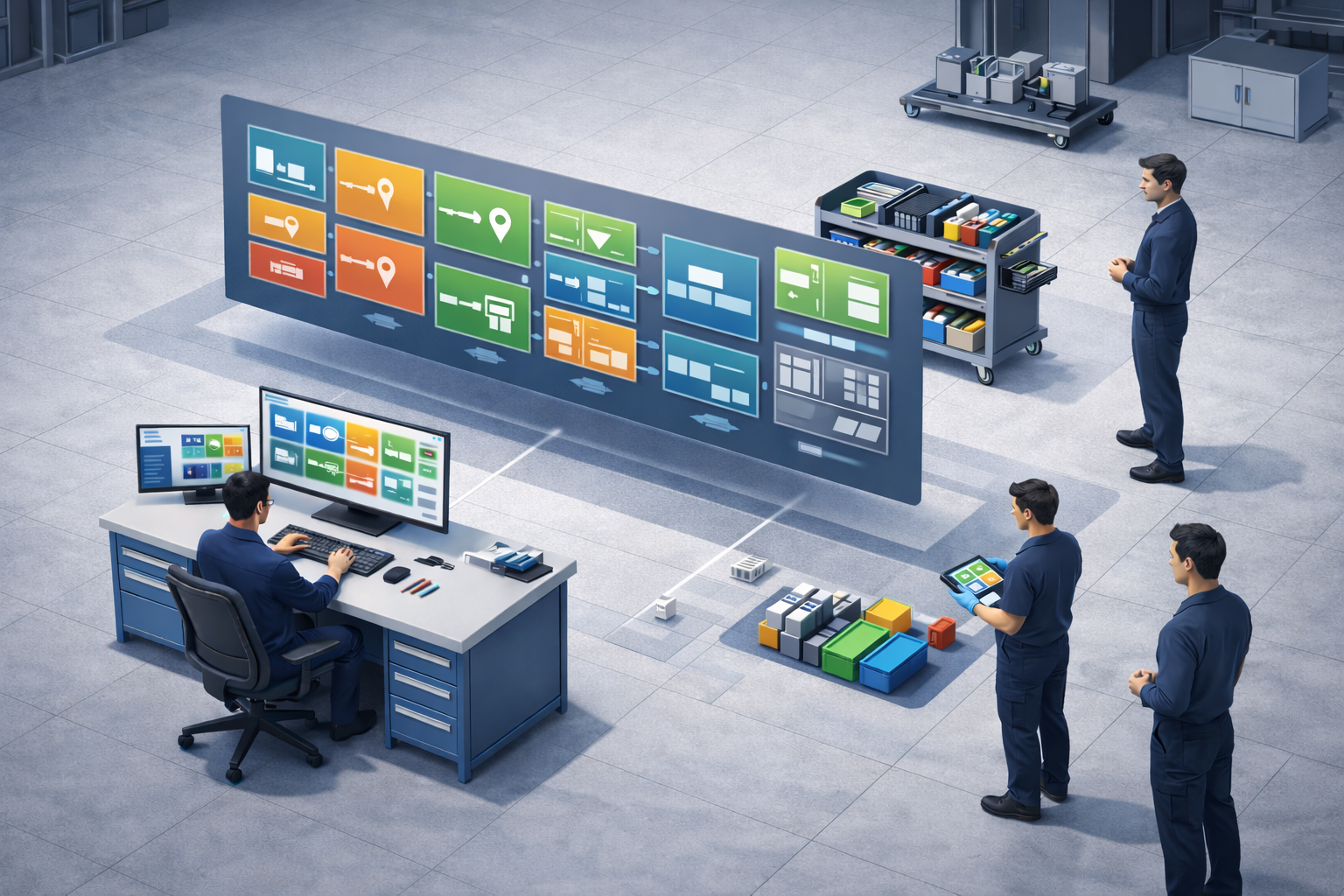
After defining the workplace itself, Rajneesh Jain reaches the next unavoidable reality: operations are not run by locations, shelves, or workflows alone. They are run by people. Sapphire’s User Management module turns the workforce into a structured, visible, and governable part of the system so that every person in the workplace exists with clarity, role, and accountability.
What Is User Management?
User management in Sapphire is the system through which workplace members are represented, identified, and controlled inside the platform. It brings together the key details of a person’s professional identity — such as employee name and ID, title, role, department, contact details, workstation, and engagement status — into one operational profile.
This means a user is not just someone who can log in. In Sapphire, a user is a defined workplace entity with a role in the organisation, a location context, and a controlled relationship to the system. That makes people visible not only as names, but as structured contributors inside the operational environment.
In simple terms, the module answers a basic but critical question: who exactly is part of this workplace, and in what capacity? Once that answer becomes reliable, everything else in the platform becomes easier to govern.
Why It Matters?
Most systems become messy not because data is missing, but because people are loosely represented. One person may appear with the wrong title, another without a department, another still visible even after leaving the organisation. Over time, the workplace begins to drift away from reality. And once people data becomes unreliable, accountability, permissions, and managerial visibility begin to weaken with it.
Sapphire solves this by making user records structured, status-aware, and administratively actionable. Every employee can be viewed through a clear profile, updated when details change, suspended when access must be paused, or marked inactive when no longer part of the workplace. The result is a workplace that remains aligned with its actual people structure instead of depending on memory or scattered records.
- People become system-defined entities — Employees appear with identity, title, role, department, contact details, and workstation context.
- Access becomes status-aware — Active, Suspended, and Inactive states help the system reflect the real engagement of each employee.
- Administration becomes cleaner — Managers can view profiles, edit records, suspend access, or remove users with control.
- The organisation stays current — Joining and leaving dates help the workplace reflect who is truly part of the operation at any given time.
How Sapphire Handles It
Sapphire presents user management through a people-oriented operational table where every employee appears with their core workplace identity. The system shows the employee name and ID, designation, role, associated departments, contact number, email, workstation breadcrumb, status, and joining or leaving dates as applicable.
The module also gives administrative actions directly where they matter. A profile can be viewed for deeper visibility, edited when details change, blocked when access must be temporarily restricted, or removed when the person is no longer part of the workplace. These are not isolated actions — they are how the system keeps the live people structure aligned with reality.
Most importantly, Sapphire recognises that a user is not simply “present” or “absent.” The platform distinguishes between Active users who can work in the system, Suspended users who remain part of the workplace but cannot access it temporarily, and Inactive users who are no longer part of the organisation. That status clarity is what turns a list of names into a managed workforce.
Meet Rajneesh Jain
At first, Rajneesh sees the familiar problem of growing teams: people join, move, get reassigned, go inactive, or need access paused. Titles change, departments shift, and workstation context evolves. Without a proper people module, the organisation begins to exist in fragments — partly in memory, partly in spreadsheets, and partly in inconsistent platform records.
Setting Up in Sapphire
Rajneesh begins by structuring employees as real workplace records inside Sapphire. He ensures each person carries the right designation, role, department association, and contact information, while also placing them in the correct workstation context where applicable. Once that is done, each employee is no longer just “someone in the company” — they become a visible operational identity in the system.
- Employee identity through name and employee ID.
- Designation and role clarity for each user.
- Department association and workstation visibility.
- Contact details and active email reference.
- Status control through Active, Suspended, and Inactive user states.
- Administrative actions such as view profile, edit, block, and remove.
What Changes for Rajneesh
Once the User Management module is in place, Rajneesh stops dealing with people records as scattered admin details. He can now see the workforce as a controlled operating layer within Sapphire. He knows who is active, who is paused, who has left, where people belong, and how they are represented in the workplace structure.
- Unclear employee records with missing role or designation context.
- People remaining visible in the workplace without the correct engagement status.
- Disconnected employee data spread across memory, chat, and offline lists.
- Difficulty understanding who belongs where in the current workplace structure.
- User administration that depends on manual follow-up instead of system control.
Why This Module Comes Here
User Management belongs immediately after Workplace Management because once the workplace exists, the next thing that must become real is the people layer inside it. Rajneesh cannot responsibly manage permissions, responsibilities, assignments, or accountability until the system clearly understands who the users are and what role they hold in the organisation.
This is also why the later modules gain strength from it. Inventory, requests, assignments, approvals, and reporting all depend on a trustworthy people structure underneath them. When Sapphire knows the workforce properly, every later workflow becomes more meaningful.
Master Data Management
Define the core building blocks of your workplace — locations, inventories, departments, units, brands, fuel types, taxes, and more — so every operational record in Sapphire starts clean, structured, and consistent.
Inventory Master Data
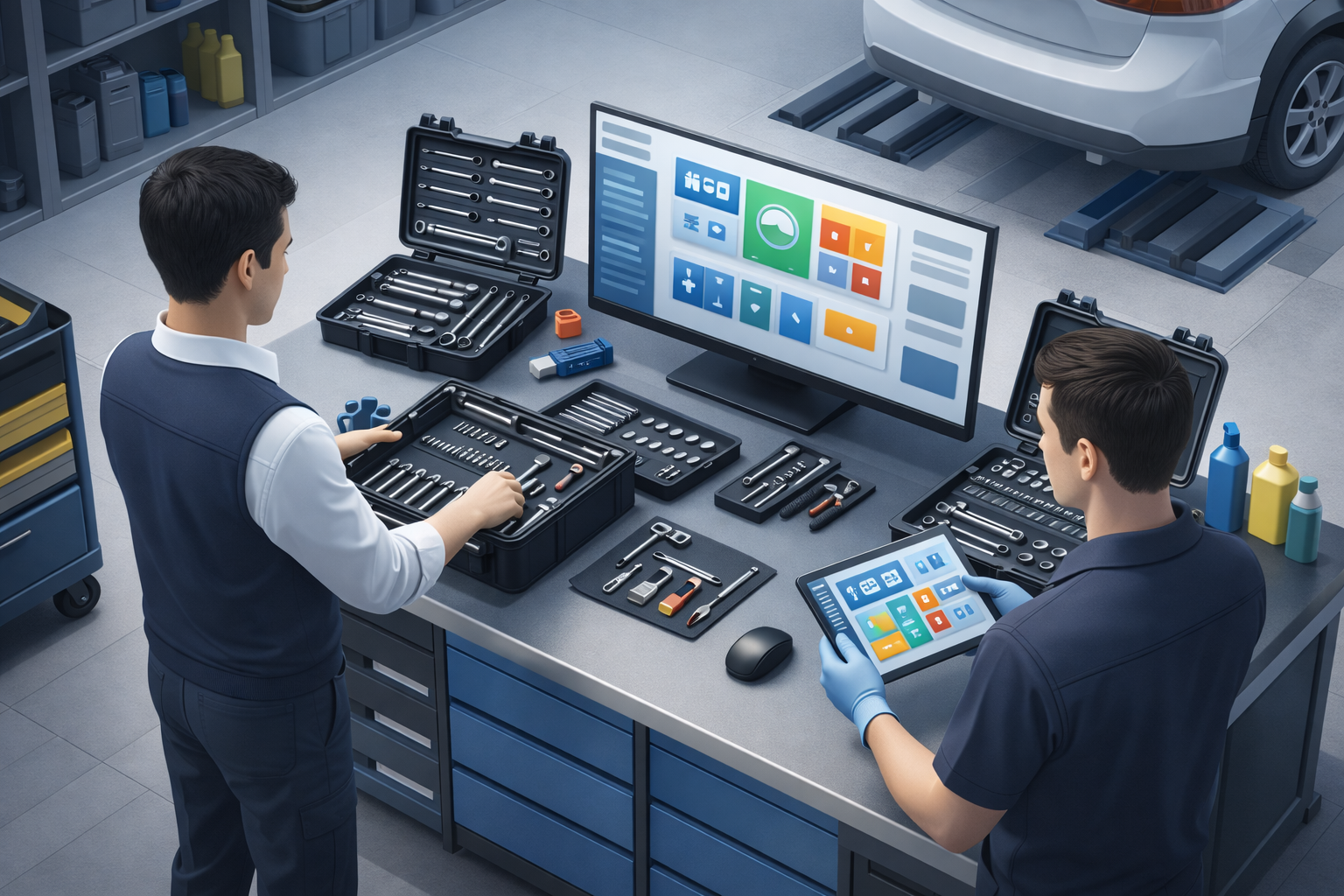
Before stock can be tracked properly, the system must know what kind of inventory it belongs to. Not every store serves the same purpose. Some inventories hold backup stock, some exist for active floor usage, and some are meant specifically for items that move into employee toolboxes. If all of them are treated the same, stock visibility becomes misleading from day one.
Sapphire solves this by structuring inventory through categories, types, names, and storerooms. That means you don’t just create a store and start dumping items into it. You define its role first — whether it is a General Reserve, a Hand-Tools Reserve, or a General Inventory — and then build the inventory under that logic.
This distinction creates operational clarity. A reserve inventory behaves like future-ready stock. A hand-tools reserve becomes a controlled source for employee toolboxes. A general inventory supports live work on the floor. The system can therefore tell the difference between stock that exists and stock that is actually available in the right context.
- Clear stock separation — Backup stock, live-use stock, and employee-disbursable stock each live in the right operational bucket.
- Better item control — Every inventory has a defined role before items start moving through it.
- Smarter storeroom mapping — Inventories can be tied to proper location structure instead of vague storage labels.
- Cleaner growth — New inventories can be added under a proper structure as operations expand.
- Stronger system discipline — Unique names, controlled categories, and removal rules prevent inventory structure from becoming messy over time.
For Rajneesh Jain, this means Sapphire does not show him one giant, misleading concept of “stock.” It shows him the truth in layers — what is in reserve, what is active on the floor, and what is meant to be issued to people. That one distinction changes how decisions get made.
Location Matrix
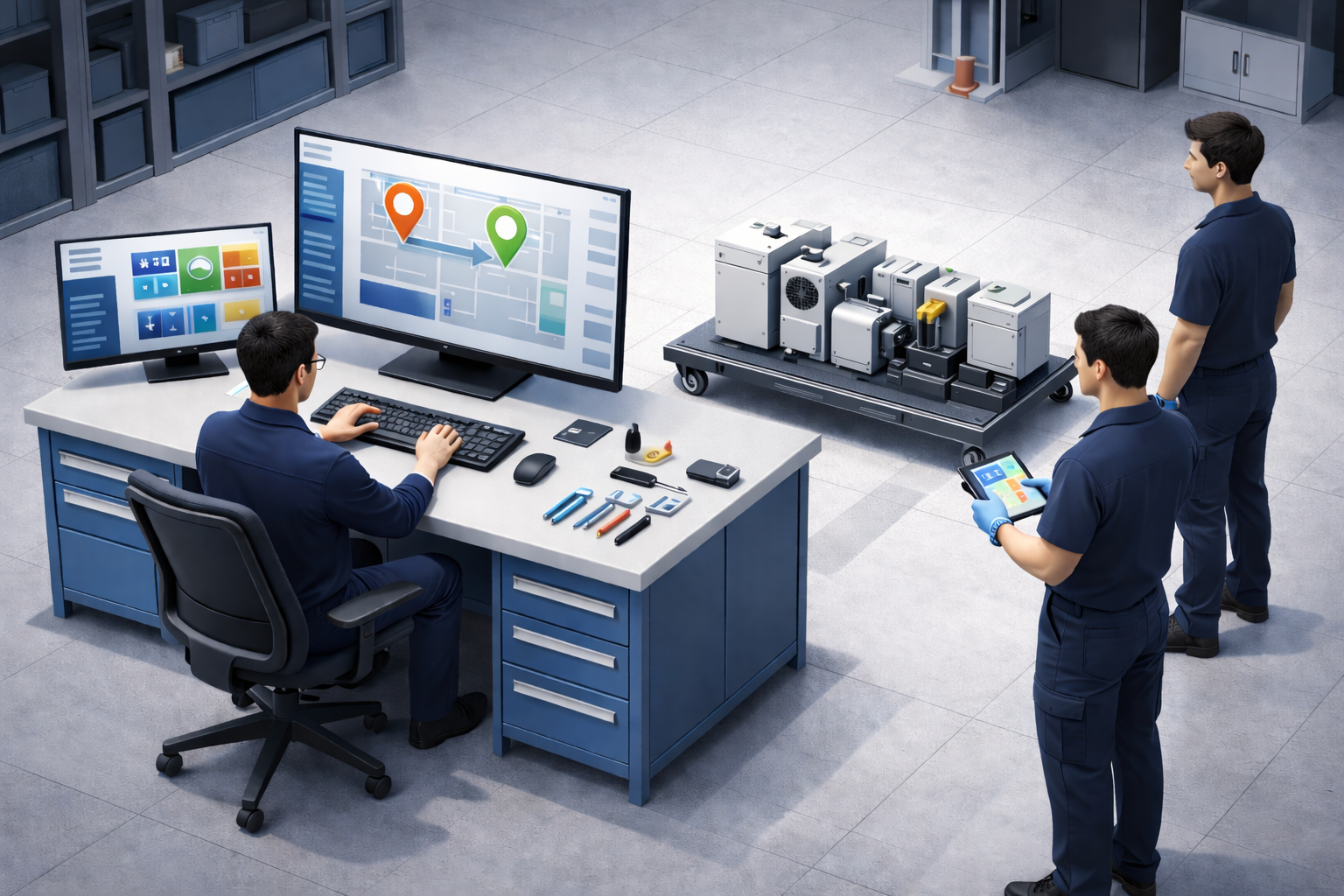
Once a workplace exists, the next question is simple — where exactly inside that workplace does everything live? A facility is never just one flat place. It has blocks, floors, rooms, sub-divisions, shelves, corners, stations, and storage points. If the system cannot mirror that reality, then every asset, material, and tool starts floating in vague locations that nobody fully trusts.
Sapphire solves this through a multi-level location matrix that lets you map your facility the way it actually exists. You can build location hierarchy level by level — from the broader structure down to the most specific usable reference point — so the platform understands not just the workplace, but the exact physical context inside it.
This matters because a good location system is not just about storage. It is about traceability. When an item is reported, transferred, inspected, issued, or searched, the system should not say “it is somewhere in the plant.” It should tell you exactly where it belongs.
- True physical mapping — Your facility can be structured the way it exists in real life, not forced into a generic layout.
- Multi-level compartmentalisation — Every asset or item can sit within a meaningful breadcrumb instead of a vague room name.
- Cleaner movement control — Transfers, issue requests, and tracking all make more sense when location hierarchy is already defined.
- Faster finding, less asking — People stop relying on memory, calls, and local shortcuts to locate operational items.
- Scalable structure — As the workplace expands, the map grows with it without turning chaotic.
For Rajneesh Jain, this means the Bhiwadi plant is no longer just “the factory,” and the Jaipur hospital is no longer just “the building.” Each one becomes a properly mapped operational space inside Sapphire. The result is clarity at ground level — because the system now understands where things are supposed to be, not just what they are.
Standard & Custom Units
Measurement sounds small — until inconsistent units start breaking stock records, material calculations, and usage history. If one team records in litres, another in gallons, and a third invents its own shorthand, the system may still collect data, but it stops speaking one reliable language. Sapphire avoids that problem by giving measurement its own governed master data layer.
At the foundation are standard SI and commonly used system units, already available across length, volume, weight, and counters. These system units come with defined conversions and act as the stable base set for structured entry. They are part of the platform by default, which means teams can begin with familiar, trusted units instead of defining everything from scratch.
On top of that, Sapphire supports custom units for businesses that work with local, operational, or domain-specific measurements. A workplace can create its own unit name, abbreviation, description, conversion unit, and conversion ratio — so custom language can still remain mathematically tied to a controlled base. That gives flexibility without sacrificing consistency.
- Standard units create a clean baseline — Common SI and operational units are available from the start for structured usage.
- Custom units preserve real-world flexibility — Businesses can add their own working units without breaking comparability.
- Conversions stay controlled — Each custom unit is tied to a base conversion unit and ratio instead of floating as an isolated label.
- Historical records stay stable — When unit definitions are updated, earlier recorded data remains intact while new entries follow the updated rules.
- Duplicate clutter is prevented — Removed units can be restored instead of recreated, keeping the master data cleaner over time.
For Rajneesh Jain, this means every workplace can speak its practical operational language without turning the database into a measurement mess. Sapphire lets his teams stay familiar locally while remaining consistent system-wide.
Tax
Tax data becomes messy very quickly when every purchase or transaction depends on manual memory. Teams remember the tax name differently, type rates inconsistently, or recreate the same slab again under a slightly altered label. Sapphire prevents that by turning tax structure into reusable master data instead of leaving it scattered across transactions.
In Sapphire, tax is organized through tax groups, tax names, and tax rates. A group can represent a class such as GST, while individual slabs under it can define entries like SGST or CGST with their own rates and descriptions. If the group name is not defined first, the system can derive it from the first tax name entered, and that category can still be edited later.
The structure is flexible, but not loose. Tax group names must remain unique, tax names cannot repeat inside the same group, and changing a tax rate is restricted once it is already appended to active item data. Removed tax slabs stop appearing for future use, while their historical ledger footprint remains intact.
- Reusable tax structure — Teams select from governed tax slabs instead of rebuilding tax logic in every transaction.
- Cleaner compliance records — Group, slab, and rate relationships stay visible and structured.
- Historical safety — Removing a slab affects future availability, but past ledger entries remain preserved.
- Rate discipline — New tax slabs must differ meaningfully, and edits are restricted once a tax has already entered active use.
- Operational fallback — A default 0-rate option exists for every tax slab where required.
For Rajneesh Jain, this means tax does not become a repetitive accounting headache at the point of entry. The structure is already ready, so transactions inherit discipline instead of depending on guesswork.
Fuel
Vehicles cannot be managed properly if fuel is treated as a loose note on the side. Different vehicles consume different fuel classes, different units, and even different logging behavior. Sapphire therefore keeps fuel as master data so that the system already knows what a vehicle runs on before refueling or charging records begin.
Each fuel entry in Sapphire carries a fuel type, fuel grade name, and measurement unit. Units are fetched from the Units master data, which means fuel configuration does not sit in isolation. It remains connected to the same unit discipline used across materials and operational measurements.
Sapphire also distinguishes between material-based fuels and electric charging behavior. Solid, oil, gas, and electric fuel types exist as system defaults, and electric logging supports charging-specific details such as charging time, battery percentage after charging, and cases where the cost may remain null for in-house grid charging. That makes vehicle energy history much more realistic than a generic “fuel used” field.
- Vehicles start with the right fuel context — Fuel type and unit are already structured when a new vehicle is configured.
- Units stay consistent — Fuel measurement is tied back to the Units master data instead of being typed freely each time.
- Electric and conventional fuels are handled differently — Charging logs and fuel-fill logs follow the logic each energy type actually needs.
- System fuel types stay protected — Core fuel classes such as solid, oil, gas, and electric are default system types and cannot be removed.
For Rajneesh Jain, this means a diesel vehicle, a CNG utility unit, and an electric fleet asset do not get squeezed into the same simplistic record model. Sapphire preserves the operational truth of how each vehicle is actually powered.
Brands
A brand is more than a manufacturer name typed into a field. It becomes a reusable reference across items, purchase records, maintenance context, and future reporting. If teams enter brand names differently every time, the system starts fragmenting identical products into multiple versions of the same truth. Sapphire avoids that by giving brands a governed place inside master data.
In Sapphire, brand records can be created, edited, removed, and restored without losing structural discipline. Each brand has a name, description, and status, and the system prevents duplicate brand buildup by keeping removed brands restorable instead of allowing the same label to be recreated loosely. That keeps dropdowns cleaner and item identity more reliable over time.
- One clean manufacturer reference — The same brand is selected consistently instead of being retyped in multiple forms.
- Controlled lifecycle — Brands move through active, empty, and removed states instead of vanishing without context.
- Duplicate prevention — If a removed brand is needed again, Sapphire prompts restoration instead of cluttering the system with copies.
- Safer cleanup — A brand cannot be removed while it is still appended to present items in inventory.
For Rajneesh Jain, this means supplier and item identity stay cleaner as the database grows. He does not lose reporting clarity just because people type the same brand in five different ways.
Titles & Designations
People may belong to the same company, but they do not perform the same role in the same capacity. A title is the system’s way of identifying a person’s formal designation inside the workplace structure. Without a controlled title master, designations slowly turn into free-text variations, and the organisation starts losing clarity in profiles, permissions, and reporting. Sapphire gives titles their own governed place so that designation stays structured from the start.
In Sapphire, a title record carries a name, description, people count, and status. Titles can move through active, empty, and removed states, and they can be edited, removed, or restored under clear rules. A title must remain unique, and it cannot be removed while it is still designated to an employee.
- Designation stays consistent — Employees are assigned from a controlled list instead of ad-hoc title text.
- Profile structure improves — Titles become reusable identity markers across the workplace.
- Removal stays safe — A title cannot be removed while it is still occupied by a person.
- Restoration prevents duplication — A removed title can be brought back instead of being recreated loosely.
For Rajneesh Jain, this means the organisational language of the workplace stays clean as teams grow. A designation remains a governed role label, not just a text field someone typed once.
Departments
A workplace is easier to manage when people are grouped by how work actually happens. Departments create those groupings inside Sapphire, turning the workforce into meaningful operational clusters instead of one flat employee list. That matters not just for structure, but also for visibility, supervision, and permission logic across the workplace.
Each department in Sapphire contains a name, description, status, and associated people. It can show the role, title, and identity of people mapped to it, while the department itself moves through active, empty, and removed states. Names must remain unique, and a department cannot be removed while it is still occupied.
This gives departments a practical function beyond org-chart display. They help managers and issuers gain the right visibility into people, workstations, and operational responsibility without turning access control into guesswork. Structure begins to support governance.
- People are grouped meaningfully — The workforce is organised by working structure rather than left as a flat directory.
- Visibility improves — Managers can inspect employees, titles, and workstations through cleaner organisational grouping.
- Uniqueness is protected — Department names are controlled, ignoring text case and spacing noise.
- Cleanup stays disciplined — Occupied departments cannot be removed, and removed ones can be restored if needed.
For Rajneesh Jain, this means Sapphire reflects how teams exist in real life — not just as individuals, but as working groups with responsibility boundaries. That makes the people side of operations far easier to navigate.
Holidays
A workplace calendar is not just a list of dates. It affects attendance, planning, staffing, shift expectations, and how operational activity is interpreted across the year. If holidays are left outside the system, teams still remember them manually — but the platform loses the ability to understand why the workplace behaves differently on specific days. Sapphire brings that context into master data.
Holiday master data gives the workplace a governed calendar layer for non-working or specially observed dates. Instead of leaving exceptions to memory or side communication, the system can align organisational time with operational records. That makes downstream attendance and workforce logic more dependable.
- Workplace time gets context — The system understands that not every date follows normal activity rules.
- Attendance logic becomes cleaner — Exceptions no longer depend purely on manual recall.
- Planning improves — Teams can align people availability and operational expectations with a governed calendar.
- Organisational memory becomes system memory — Important dates remain part of the workplace structure, not scattered in messages or spreadsheets.
For Rajneesh Jain, this means Sapphire does not view every day as operationally identical. The workplace calendar becomes part of how the system understands people, planning, and real-world availability.
Inventory Is Not Just Stock. It Is Stock in Motion.
Once Rajneesh Jain has defined his workplace, his people, and his master data, the next operational truth becomes visible: items do not simply exist — they move, wait, get assigned, get consumed, get repaired, and return into circulation. Sapphire’s Inventory module is built to manage that living flow with precision across every layer of the workplace.
What Is Inventory Management?
Inventory management in Sapphire is not a static warehouse register. It is a structured operational system that knows where an item is, what state it is in, who is using it, and what can happen to it next. That means inventory is treated less like a spreadsheet of quantities and more like a live movement network for tools, materials, equipment, and vehicles.
The module is built around a crucial idea: not all stock behaves the same way. Some items are meant to stay in backup until needed. Some are meant to be assigned into employee toolboxes. Some are meant for immediate work-floor operations. Sapphire therefore separates inventory into different operating layers so that every action happens in the correct context.
In simple terms, if master data defines the identity of an item, the Inventory module defines its active operational life. It is where storage becomes movement, ownership becomes visibility, and quantity becomes actionable control.
Why It Matters?
This is where many operations begin to lose control. A tool may exist in the business, but no one knows whether it is in reserve, issued to a worker, under maintenance, or lying in the wrong place. A material may be available in the books, but not actually distributable on the floor. A vehicle may still appear active, even though its fuel, condition, or service state says otherwise. When inventory is treated as a flat list, those differences disappear — and decisions become unreliable.
Sapphire prevents that by treating inventory as a controlled operating environment. Every inventory class has a purpose, every item has a visible state, and every action happens with traceability. The result is not just better stock counting — it is better operational judgment.
- Stock gets classified by operational purpose — Backup stock, toolbox-ready stock, and active-use stock are no longer mixed together.
- Every item gains a visible lifecycle — Availability, maintenance state, reporting status, and movement history remain traceable.
- Actions happen in context — Transfer, issue, consume, refill, restrict, renew, and repair follow the logic of the current inventory state.
- Operational ambiguity drops sharply — The system shows whether an item merely exists or is truly usable in its current context.
How Sapphire Handles It
Sapphire divides inventory into General Reserve, Hand-Tools Reserve, and General Inventory. General Reserve holds items that are not in use yet and are meant for future need, restocking, or reassignment. Hand-Tools Reserve exists specifically for items that can be assigned into employee toolboxes. General Inventory is the active-use layer where items remain available for everyday floor operations by permitted users.
The module also changes how items are represented. In reserve, many items are managed in stack form because the concern is controlled availability. In general inventory, items appear as individual SKUs and batches because operational actions need item-level precision. That difference is small on the screen, but major in practice — because it decides how the system understands usage, ownership, condition, and movement.
From there, Sapphire supports the real actions of inventory life: item info, logs, reporting, consumption, refueling data, service repair, transfer, add-to-assembly, refill, financial certificate updates, restrictions, edits, renewal, discard, and removal based on the conditions of the current item and inventory state. The module does not just store items. It governs what can happen to them next.
Meet Rajneesh Jain
At first, Rajneesh sees what every growing operation eventually sees: the business owns more than it can clearly track. Reserve stock exists, but no one is fully sure what is still untouched. Toolbox items are being handled, but assignment visibility is weak. Active inventory appears available, but condition, location, and usage reality do not always match the expectation.
Setting Up in Sapphire
Rajneesh begins by aligning inventories according to function rather than habit. He separates backup and restocking stock into General Reserve, keeps toolbox-ready items inside Hand-Tools Reserve, and ensures active-use items flow into General Inventory where teams can issue, request, transfer, consume, and work with them directly. That one structural correction changes how the entire workplace reads stock.
- Reserve stock that exists for future use, backup, and restocking.
- Hand-tool inventory that can move directly into employee toolboxes.
- Active general inventory where daily operational item actions happen.
- Item-level visibility for condition, status, location breadcrumb, and movement history.
- Controlled actions such as report, consume, transfer, refill, issue, restrict, repair, renew, and discard.
What Changes for Rajneesh
Once Sapphire’s inventory logic is in place, Rajneesh stops asking vague questions like “Do we have this item?” and starts getting operational answers like “It is in General Reserve,” “it is already in a toolbox,” “it is under maintenance,” or “it is available in active inventory at this exact location.” That change is subtle in wording, but massive in control.
- Stock that exists on paper but has no real usable context.
- Items drifting between reserve, usage, and assignment without visibility.
- Confusion between backup stock and active work-floor stock.
- Unclear item state when reporting, repair, transfer, or restriction is needed.
- Inventory decisions based on memory instead of system truth.
Why This Module Comes Now
It makes sense that inventory follows workplace setup and master data. Before this point, Rajneesh was defining the language of the organisation. Now he is managing the movement of its physical reality. The sequence matters, because inventory can only behave correctly once workplaces, users, locations, units, brands, and classifications already exist in structure.
This is where Sapphire begins to feel less like software and more like an operating system for the floor. Once inventory becomes visible in motion, every later module — issue, maintenance, reports, inspections, and lifecycle decisions — starts standing on firmer ground.
Requests Turn Verbal Permissions into Trackable Operations.
Once Rajneesh Jain has structured the workplace, the people, and the inventory, the next challenge is not visibility alone — it is controlled access. Sapphire’s Requests module converts everyday operational asking, approving, moving, and handing back into a formal digital workflow so that permissions no longer live in memory, paper slips, or verbal instruction.
What Is Requests Management?
Requests Management in Sapphire is the structured layer through which users ask for operational permission and managers respond with traceable action. It is the module that digitizes what used to happen informally — a person asking for a special tool, requesting material, asking to move a machine, or returning toolbox-held hand-tools — and turns each of those moments into a recorded workflow.
Instead of scattered paper registers, handwritten entries, verbal follow-ups, or lists that take several minutes to fill out, Sapphire creates a formal request trail inside the system itself. That means every request becomes visible, sortable, reviewable, and administratively manageable from one place.
In simple terms, this module ensures that permission-based movement of items and user-driven operational changes are no longer casual events. They become system events.
Why It Matters?
In most workplaces, requests are where control quietly breaks down. Someone asks for a tool, someone notes it on paper, someone else approves it verbally, and later no one is fully sure what was requested, what was issued, what was returned, or what was merely discussed. The process may look small, but the disorder multiplies quickly.
Sapphire solves this by replacing informal request handling with structured and automated approval flows. The platform routes requests clearly, keeps sorted registers of what was asked and what happened next, and preserves a transparent operational trail from request to outcome. That removes the dependency on manual registers and makes accountability part of the workflow itself.
- Permissions become formal workflows — Asking for an item, returning it, moving it, or surrendering toolbox tools no longer depends on verbal confirmation.
- Registers become digital and sortable — Requests are no longer buried in paper lists or manual entries.
- Approvals gain transparency — Each request is routed, reviewed, and tracked through a structured approval path.
- Operational time is saved — The system reduces the friction of filling manual request records that previously took several minutes and still remained hard to audit.
How Sapphire Handles It
Sapphire organizes requests into distinct operational types and maintains sorted registers around them. For your flow, the most important request classes here are Issue & Return Requests, Location Change Requests, and Surrender Requests. Together, these cover permission-based issue and return of special tools or special materials, movement of machines from one place to another, and surrendering hand-tools from employee toolboxes back into control.
Issue and Return belong together because they govern the same controlled exchange cycle. A user raises a request when they need a special item that is not simply taken freely, but issued on permission basis. Once approved and processed, the request becomes part of a digital operational record instead of a handwritten register or loose paper note. Return follows the same logic in reverse, making the full loop visible and automated.
Location Change Requests are more direct: they allow a user to formally request movement of a machine or item from one place to another, preserving movement intent and approval visibility. Surrender Requests are different from standard returns because they focus specifically on hand-tools coming back from the toolbox, not general issued items. Sapphire keeps these distinctions clear so the workplace does not confuse one kind of handover with another.
Meet Rajneesh Jain
Rajneesh recognizes the old pattern immediately: manual request slips, informal approvals, scattered lists, and paper registers that still take five to ten minutes to fill yet remain difficult to search later. The process consumes time twice — once while recording the request and again while trying to verify what actually happened.
Setting Up in Sapphire
He begins by moving request workflows into Sapphire’s structured registers. Issue and return requests are treated as one controlled permission cycle for special tools and special materials. Location change requests are used whenever a machine or item needs formal relocation. Surrender requests are reserved for the return of hand-tools from the toolbox, keeping that path separate from ordinary issued-item return logic.
- Digitized issue and return requests for permission-based tools and materials.
- Formal location change requests for machine or item movement.
- Surrender workflows for hand-tools coming back from employee toolboxes.
- Sorted request registers instead of paper logs and handwritten records.
- Clearer approval visibility, routing, and follow-through from request to completion.
What Changes for Rajneesh
Once these workflows move into Sapphire, Rajneesh no longer treats requests as side conversations around operations. They become visible operational events. He can see what has been requested, why it was requested, what kind of request it is, and what the next administrative step should be.
- Paper registers and paper lists for routine operational requests.
- Five-to-ten-minute request writing cycles that still produce weak traceability.
- Confusion between issue-return flows, movement requests, and hand-tool surrender.
- Approvals that live only in someone’s memory or verbal confirmation.
- Difficulty checking what was requested, what was approved, and what was completed.
Why This Module Comes Next
Requests naturally follow user and inventory structure because they sit at the point where people begin interacting with controlled items and locations. Rajneesh first needed to know who the users are and what inventory exists; only then could Sapphire govern how requests for those assets are raised, routed, and resolved.
This is where operational discipline starts feeling lighter instead of heavier. The system does more of the remembering, recording, and structuring — so the workplace spends less effort documenting intent and more effort acting on it.
Reporting Turns Asset Condition Into a Shared Operational Truth.
After users, inventory, and requests are in place, Rajneesh Jain now needs the system to tell the truth about condition. Sapphire’s Reporting module gives the workplace a formal way to mark items as damaged, partly damaged, incomplete kit, or missing, and to mark materials as unfit or expired once the expiry date is reached automatically.
What Is Reporting?
Reporting in Sapphire is the controlled process of recording the condition of an asset or material when it no longer matches its expected state. For assets, that includes damage, partly damage, incomplete kit, and missing. For materials, the reporting scope includes unfit and expired, with expiry status being applied automatically once the material reaches its end date.
This module matters because condition is not a side note in operations — it is part of the item’s truth. A tool that is damaged cannot be treated like a healthy tool. A material that is expired cannot be treated like usable stock. Reporting ensures that the system records that truth clearly instead of leaving it hidden inside conversation, memory, or assumption.
In practical terms, Sapphire uses reporting as the bridge between what is observed and what the system must now recognise. Once a condition is reported, the item can move into the next appropriate operational path. Reporting is not just a complaint log; it is a condition record with consequences.
Why It Matters?
Without reporting, poor-condition items stay visually present even when they should not be treated as normal working stock. That creates hidden risk: a missing asset can still appear available, a partly damaged tool can continue circulating, and an expired material may remain indistinguishable from usable material if the system does not enforce the boundary.
Sapphire prevents that by turning item condition into a structured and traceable record. The platform gives managers and operators a shared understanding of what happened, when it was observed, and how the item should now be treated. That makes the workplace safer, cleaner, and less dependent on informal explanations.
- Condition becomes explicit — The system can distinguish healthy items from damaged or unusable ones.
- Expiry is enforced automatically — Materials move to expired status when the expiry date is reached.
- Risk becomes visible — Missing items, incomplete kits, and unfit materials no longer hide inside normal inventory.
- Operational follow-up becomes possible — Once reported, the item can be handled through the correct next action.
How Sapphire Handles It
Sapphire allows users to report an item based on what they observe in the field. The report begins with the current condition of the asset or material and records the category that best matches reality. For assets, the condition options are damage, partly damage, incomplete kit, and missing. For materials, the condition options are unfit and expired, with the expired state being applied by the system when the date is reached.
The reporting flow is tied to operational visibility. An item can be reported when it is visible to the user in the application, and it can be reported directly or through inspection. In the case of materials, the report must always include quantity or volume details, because material reporting is not just about condition — it is also about how much of the stock is affected.
Sapphire keeps the reporting trail structured so the item can later enter the proper resolution path. That means the report is not isolated from operations; it becomes the foundation for repair, replacement, discard, recovery, or other follow-up actions. The report tells the system what the item is now, not just what it was before.
Meet Rajneesh Jain
That is exactly where Reporting becomes useful. Rajneesh does not want condition to live in verbal blame or scattered notes. He wants a system where the item is marked based on its real state, the condition is recorded once, and the rest of the workflow can follow from that record.
Setting Up in Sapphire
Rajneesh configures Sapphire so that users can report visible assets directly, or submit the condition through inspection when needed. He ensures that asset conditions can be captured as damage, partly damage, incomplete kit, or missing, and that materials can be flagged as unfit or expired with quantity or volume included in the report. Sapphire’s automatic expiry handling keeps the material status aligned with the calendar without manual intervention.
- Reporting for asset condition states: damage, partly damage, incomplete kit, missing.
- Reporting for material states: unfit and expired.
- Automatic expiry-based status change for materials.
- Quantity or volume capture for material reports.
- Direct reporting or inspection-based reporting depending on the case.
What Changes for Rajneesh
Once the Reporting module is active, Rajneesh no longer needs to rely on verbal complaints to understand item condition. He can see what is damaged, what is missing, what is incomplete, what is unfit, and what has expired. That gives him a single source of truth for condition-based decisions across the workplace.
- Arguments about whether an item was actually damaged or only suspected.
- Expired materials still circulating as if they were usable stock.
- Missing or incomplete items being treated like normal inventory.
- Condition notes buried in conversation instead of recorded in the system.
- Unclear next steps after an item’s real state is discovered.
Why This Module Comes Next
Reporting belongs after inventory because an item must first exist in the system before its condition can be assessed and recorded. Rajneesh has already structured the workplace, users, inventory, and requests; now the system can safely move into the reality of item health and material validity.
This module closes the loop between possession and condition. Sapphire no longer only knows what exists — it knows what is fit, what is unfit, what is missing, what is broken, and what can still be trusted.
Inspection Becomes Scalable When the Right People Judge the Right Assets.
As Rajneesh Jain’s workplace grows, it becomes impossible for one person to truthfully inspect every machine, tool, and material in real time. Sapphire turns inspection into a delegated, structured process so trained technicians can assess the assets they understand best, inside the inventories they are permitted to view, and report condition with clarity instead of guesswork.
What Is Inspection?
Inspection in Sapphire is the structured process of checking the condition of assets and materials against a defined standard, using checkpoints, schedules, and objective scoring rules. It exists because asset health is not always visible from a distance. A machine may look active but still need review, a tool may appear normal while hiding wear, and a material batch may still need a proper condition check before it can be trusted in use.
In a small workplace, one person might manage that responsibility manually. But as the environment grows into a larger plant, a workshop network, or a multi-bay operation, inspection becomes too broad to stay accurate if handled by one central observer. Sapphire therefore shifts inspection from a personal memory task into a delegated operating process with clear queues and assigned responsibility.
That is why inspection is not just another checklist. It is the point where the workplace stops asking “what do we think is happening?” and starts asking “what does the trained technician actually see?” Inspection is where condition becomes an operational fact.
Why It Matters?
Without a proper inspection system, Rajneesh would be forced to rely on incomplete views of the workplace. A single person cannot be physically present around every CNC machine, laptop, pump, vehicle, or consumable at the same moment. As assets multiply and their behavior becomes more varied, manual inspection quickly turns into a bottleneck, and the report stops reflecting the true condition in time.
Sapphire solves that by pushing inspection into the hands of trained technicians who are already closest to the equipment and already understand how that equipment behaves. The result is a report that is more objective, more specific, and less repetitive — because the findings come from the people who actually work with those assets every day. That makes Rajneesh’s decisions faster and much more reliable.
- Inspection scales with the workplace — The process no longer depends on one person standing everywhere at once.
- Technicians see what they actually understand — Permission and inventory compartmentalization keep inspections relevant to the right assets.
- Findings become objective — Repeated phrasing and vague opinions are replaced by structured condition checks.
- Decisions become easier — Rajneesh gets clearer evidence for repair, replacement, or other follow-up actions.
How Sapphire Handles It
Sapphire creates inspection cycles with schedules, reminders, and checkpoints so the work does not depend on someone remembering to start it. The system supports daily, weekly, monthly, or custom cycles and automatically populates the pending inspection queue with the right tasks. That keeps inspection coverage consistent even when the workplace is large, busy, or distributed across many assets and locations.
The inspection itself is not loose or subjective. Sapphire uses standardized condition categories, scoring rules, and damage assessment criteria so technicians evaluate assets through the same lens. They can capture photos, add notes, collect digital signatures, and attach documents, creating a record that is detailed enough to search later and strong enough to audit.
Once the findings are recorded, Sapphire carries them forward into the proper outcome path. Repairs, replacements, and discarding decisions can be linked directly to the inspection trail, while timestamped logs preserve who inspected what and when. The system does not just store a result; it preserves the full path that produced it.
Meet Rajneesh Jain
He sees the obvious turning point: a shop floor, a car plant, or any large industrial workplace needs inspection to be delegated to technicians who are trained for the machinery they handle. That is not a compromise — it is the only way to get a report that reflects actual operating reality instead of a distant summary.
Setting Up in Sapphire
Rajneesh configures Sapphire so that inspection responsibility is distributed according to inventory permission and asset familiarity. Technicians are allowed to inspect only the inventories they are permitted to view, which means they are checking assets they already understand. A technician who knows a CNC machine, a laptop, or a specific production asset is far more likely to produce an accurate finding than a generic checker working at a distance.
- Delegated inspection by trained technicians instead of one central reviewer.
- Permission-based visibility so technicians inspect only the inventories they can access.
- Scheduled inspection cycles with reminders and non-overlapping reports.
- Condition scoring, damage assessment criteria, photos, notes, and signatures.
- Inspection outcomes that can flow into repair, replacement, or discarding decisions.
What Changes for Rajneesh
Once inspection is delegated through Sapphire, Rajneesh stops chasing ten different versions of the same problem. He gets objective findings from the people closest to the assets, with less repetition and more consistency. The workplace becomes easier to read because each technician reports from real familiarity rather than distant assumption.
- Trying to inspect every asset personally as the workplace scales.
- Condition reports based on guesswork instead of asset familiarity.
- Repeated issue phrasing that says the same thing in different words.
- Inspection coverage that breaks down when the number of assets grows.
- Decisions made without a stable, auditable condition trail.
Why This Module Comes Next
Inspection follows reporting because condition must first be noticed before it can be assessed in a structured cycle. Now that Rajneesh can record when something is damaged, missing, or unfit, he can also build a system that checks whether assets are still healthy, still compliant, and still ready for work.
This is where Sapphire starts to feel truly operational. Reporting tells the system what went wrong; inspection tells it who should verify the truth, how often, and with what evidence. Together, they turn condition from a complaint into a managed workflow.
Resolution Is Where Inspection Finally Becomes Action.
Once Rajneesh Jain can inspect assets with clarity, the next question is no longer what is wrong — it is what should happen now. Sapphire’s Resolution module closes the loop by turning an inspection finding into a controlled outcome such as repair, replacement, or discard, while preserving every decision, cost, and record along the way.
What Is Resolution?
Resolution in Sapphire is the operational stage where a reported or inspected problem is assigned a final action. An asset that has been found damaged, failing, or no longer fit for service does not stay in a suspended state of uncertainty. It moves into a controlled outcome path so the workplace can restore it, swap it, or close it properly.
This matters because an unresolved finding is not really useful data. It is only a note that something went wrong. Sapphire turns that note into a decision point, and then into a documented result. Resolution is the moment the system stops describing the problem and starts finishing it.
Think of it like a traffic light after inspection: red means the problem has been seen, yellow means the system is evaluating the outcome, and green means the workplace has now chosen the proper route forward. Resolution gives that route a record, an owner, and a consequence.
Why It Matters?
Without resolution, inspection becomes a record of concern without any operational payoff. A damaged machine could sit idle forever, a worn tool could remain flagged but untouched, and a dead material batch could continue clogging the workflow because nobody formally closed the case. That creates backlog, uncertainty, and avoidable downtime.
Sapphire prevents that by making every finding actionable. The system forces the workplace to decide whether the asset should be repaired, replaced, or discarded, and then records the full trail behind that choice. That gives Rajneesh cleaner operations, faster closure, and less risk of forgotten problems.
- Problems do not linger unresolved — Every finding moves into a final action path.
- Cost and decision history stay attached — Repairs, replacement, and discard actions remain documented.
- Operational backlog drops — Unresolved items no longer sit in limbo.
- Asset lifecycle stays honest — The system knows when an item is fixed, swapped, or closed out.
How Sapphire Handles It
Sapphire presents resolution as a structured decision workflow tied directly to inspection findings. When an item is found to need action, the system can move it into repair, replacement, or discard, depending on what the condition and business rules demand. Each path preserves its own record so the result is not just visible today, but traceable later.
Repair logs service provider details, parts used, labor costs, and completion timeline. Replacement keeps the link between the old and new asset, while preserving disposal cost and depreciation impact. Discard records the reason, salvage value, disposal method, and authorization so the lifecycle closes cleanly and does not leave ghost assets behind.
The important part is that Sapphire does not treat these as vague administrative actions. They are condition-based outcomes with financial and operational consequences. The system finishes the asset story instead of leaving it half-open.
Meet Rajneesh Jain
At scale, this matters even more. A plant full of assets cannot afford a backlog of unresolved findings. Every day a broken unit remains in limbo is another day of confusion for technicians, managers, and operators. Rajneesh wants the system to turn findings into movement, not into another unanswered record.
Setting Up in Sapphire
Rajneesh configures Sapphire so that every inspection finding can be routed into one of the final paths. He enables the resolution trail to hold service provider details for repair, asset linkage for replacement, and reason and authorization details for discard. This makes the decision not only visible, but complete enough to stand up later in audit, finance, and lifecycle review.
- Repair paths with service provider, parts, labor, and completion timeline.
- Replacement paths with old-and-new asset linkage and disposal trail.
- Discard paths with reason codes, salvage value, and authorization.
- Decision records that preserve the full lifecycle closure history.
What Changes for Rajneesh
Once resolution is active, Rajneesh no longer watches problems sit on the floor like open tabs in a browser. He can see which items are repaired, which are replaced, and which are properly retired from service. The workplace becomes more decisive because every condition finding now leads somewhere.
- Inspection findings that sit unresolved for weeks.
- Damaged or failing assets without a next step.
- Replacement decisions with no chain of record.
- Discarded items that are not properly closed out.
- Lifecycle clutter caused by half-finished problem records.
Why This Module Comes Next
Resolution belongs after inspection because inspection only tells the truth about condition — it does not complete the story. Rajneesh needed a way to identify what is wrong, but he also needed a way to finish the case with a real outcome. Resolution provides that finish line.
This is the part where Sapphire turns asset intelligence into operational discipline. The workplace is no longer just observing faults; it is closing them, recording them, and moving on with a cleaner lifecycle trail.
Maintenance Keeps the Asset Honest Before It Fails Loudly.
Once Rajneesh Jain can inspect, resolve, and close asset condition with clarity, the next requirement is to keep that asset reliable over time. Sapphire’s Maintenance module turns service into a structured lifecycle discipline, so every repair, calibration, preventive visit, warranty-backed event, and cost entry is captured before the workplace is forced to deal with avoidable downtime.
What Is Maintenance?
Maintenance in Sapphire is the system’s controlled way of keeping assets ready, safe, and useful through time. It covers planned service cycles, unplanned repairs, calibration visits, warranty and contract linkage, and the financial details that belong to each service event. In other words, it is not just “fixing something when it breaks” — it is managing the asset’s health as part of its lifecycle.
A workplace can survive a one-time breakdown. What it cannot survive for long is a pattern of missed maintenance, hidden service costs, forgotten contracts, and no record of what was done last. Sapphire treats maintenance as the memory of the asset’s upkeep, so Rajneesh does not have to reconstruct the story from invoices and guesswork.
Think of it like the service log for a machine that never sleeps. The asset may keep running, but Sapphire keeps asking when it was last checked, what was replaced, what was covered, and what is due next. Maintenance is how the system keeps performance from quietly degrading.
Why It Matters?
Without maintenance, assets become expensive surprises. A machine that should have been serviced turns into a downtime event, a warranty that should have been tracked quietly expires, and a service contract that should have protected the budget gets discovered only after the invoice lands. In a growing workplace, that kind of delay becomes costly very quickly.
Sapphire prevents that by keeping every service event on schedule and on record. Scheduled and off-schedule maintenance are both captured, costs and documents stay attached, and every asset keeps a visible maintenance history that can be reviewed later for compliance, budgeting, and operational planning.
- Service becomes scheduled — The system tracks regular and preventive maintenance cycles.
- History becomes permanent — Every service event stays attached to the asset record.
- Costs become visible — Invoices, labor, parts, and recovery benefits remain linked.
- Coverage stays current — Warranty, AMC, insurance, and extended coverage are not left to memory.
How Sapphire Handles It
Sapphire handles maintenance through custom cycles, service event logging, and asset-linked documentation. Rajneesh can define maintenance intervals by date pattern, keep reminders active, and make sure the system knows when a service is due before the asset starts causing trouble. Scheduled and unscheduled maintenance both remain visible in the same lifecycle stream.
Each maintenance event can capture provider details, parts used, labor cost, invoice records, and supporting documents. Sapphire also ties in AMC, warranty, insurance, and extended coverage so Rajneesh can see not only what was done, but what was recovered through existing protection. That makes maintenance a controlled financial and operational record, not just a note that someone “fixed something.”
The dedicated maintenance sheet then compiles the full picture per asset, giving Rajneesh a single place to review service history, costs, benefit redemption, and future due cycles. The asset does not just get serviced — its service life becomes readable.
Meet Rajneesh Jain
He sees the scale problem clearly. In a growing workplace, machines, tools, and materials all carry different service rhythms. Some need periodic preventive maintenance. Some need unplanned repair. Some need calibration. Some are protected by AMC, insurance, or warranty. Rajneesh needs a system that remembers all of that better than the floor can.
Setting Up in Sapphire
Rajneesh configures Sapphire so every asset can carry its service schedule, coverage details, and maintenance history. He sets cycles, links warranty and AMC coverage, and ensures that maintenance events store cost, invoice, and document attachments. That way, the system does not just know that a service happened — it knows what kind, when, why, and at what cost.
- Custom maintenance cycles per asset.
- Scheduled and off-schedule service event logging.
- Provider, parts, labor, and invoice capture.
- Warranty, AMC, insurance, and extended coverage linkage.
- Auto-generated maintenance sheet and service history.
What Changes for Rajneesh
Once maintenance is in place, Rajneesh stops depending on memory, sticky notes, or last-minute panic to keep the workplace running. He can see what is due, what was done, what was covered, and what still needs attention. The asset lifecycle becomes calmer, more predictable, and far easier to manage.
- Overdue services discovered only after a breakdown.
- Warranties and contracts expiring unnoticed.
- Repair history scattered across invoices and memory.
- Missing cost records for service events.
- Asset reliability that depends on luck instead of scheduling.
Why This Module Comes Next
Maintenance belongs after resolution because fixing a problem is not the same as preventing it from coming back. Rajneesh can now close failures properly, but he also needs a system that keeps those assets healthy afterward. Maintenance is the continuing discipline that protects the work already done.
This is what turns Sapphire from a corrective system into a reliable operating system. The workplace no longer just reacts to failure — it manages service before failure becomes the normal way things are discovered.
My Workstation Is Where the User Meets Their Real Operational Space.
After the workplace has been structured, users have been defined, and inventory has been made operational, Sapphire gives each person a direct view into their own working reality. My Workstation is the personal zone where Rajneesh Jain can see the assets linked to an employee’s present location, issued state, and operational context without needing to search the whole system.
What Is My Workstation?
My Workstation is Sapphire’s personal asset view for an employee’s current working location and the items associated with it. It shows the user what is actually positioned, issued, or linked to that workstation so the person handling the area can understand the live operational picture instead of relying on memory or verbal updates.
In a busy workplace, a workstation is more than a desk or a bay. It is the point where responsibility, tools, equipment, and movement all meet. Sapphire treats that point as a structured view, not a casual label, because the assets around a person are often the first clue to what is happening on the floor.
Think of it like a control panel for one person’s operating zone. My Workstation gathers the relevant assets into one view so the employee can understand what is with them, what is assigned there, and what the current state of that space actually is. It is the workplace, narrowed down to the part that matters right now.
Why It Matters?
Without a workstation-level view, users lose the connection between themselves and the assets they are handling. Items may be issued but hard to locate, machine links may become unclear, and the person using the space may not know which assets belong to that working area at the moment. That creates confusion right where work is actually happening.
Sapphire avoids that by making the workstation view a practical layer of operational clarity. It helps the user know what is attached to their current working context, and it helps Rajneesh see how the floor is actually distributed across people and places. That means fewer assumptions, faster check-ins, and cleaner accountability.
- The user sees their own operational space — current workstation context becomes visible.
- Assets gain location meaning — items are not just present, they are tied to a real working point.
- Responsibility becomes clearer — the employee can see what is attached to their area.
- Work becomes easier to trace — the site can connect people, assets, and location into one visible flow.
How Sapphire Handles It
Sapphire handles My Workstation as a live user-centric view. The workstation can reflect issued items, location breadcrumbs, and the current working context of the employee, so the user is not left guessing where their items sit in the flow. If something changes, the view updates with the operational reality rather than staying frozen in an old state.
This matters because workstation movement and item movement are often connected. If an asset is shifted, issued, or reassigned, the user must be able to understand that shift in the context of their own space. Sapphire gives that clarity by keeping the view tied to the person and their current working environment, not just to a static inventory list.
The result is a cleaner operational picture for both the user and Rajneesh. My Workstation turns local reality into visible system reality.
Meet Rajneesh Jain
He sees the pressure very clearly. A technician may be standing next to a machine, a laptop may be issued to a user, or an item may be linked to a current location breadcrumb — but unless the workstation view is clear, the system still feels fragmented. Rajneesh wants the personal operational picture to be visible without having to search through larger inventory structures.
Setting Up in Sapphire
Rajneesh configures Sapphire so each user’s workstation reflects the correct location and linked items. He ensures that issued assets, location breadcrumbs, and working context are visible in the personal view, so the employee can understand what is truly associated with that space at any moment. The setup keeps the workstation tied to the operational reality around the person, not just to a static profile record.
- Employee workstation context and location breadcrumb.
- Items currently linked to the user’s working space.
- Issued assets that should appear in the personal view.
- Clear operational mapping between user, workstation, and asset flow.
What Changes for Rajneesh
Once My Workstation is in place, Rajneesh stops treating the floor like a set of disconnected records. He can see how each person’s current space connects to the assets around them, and the user can see the same reality from their own side. That makes daily work easier to understand and easier to manage.
- Users guessing which assets belong to their current working space.
- Workstation context hidden inside broader inventory records.
- Disconnected location breadcrumbs that do not help the user see the real setup.
- Operational confusion caused by assets and people being viewed separately.
Why This Module Comes Next
My Workstation belongs here because the system is now mature enough to show the person’s immediate operating context after people, inventory, requests, reporting, inspection, resolution, and maintenance have already been defined. Rajneesh can now bring the structure closer to the user’s real working space.
This is where the platform becomes personal without becoming shallow. The workplace remains one system, but each user finally sees the portion of it that matters to their own day-to-day work.
Analytics Turns Operations Into Something You Can Actually Read.
Once Rajneesh Jain has built the workplace structure, controlled the people, tracked the assets, and resolved their condition, he still needs one thing: a way to understand what all of that means at scale. Sapphire’s Analytics layer turns live operational data into clear dashboards, trends, and decision-ready views so the workplace stops feeling like a stream of events and starts becoming a readable system.
What Is Analytics?
Analytics in Sapphire is the layer that takes the system’s operational data and converts it into insight. It connects assets, people, costs, maintenance history, lifecycle movement, and activity records so managers can see patterns instead of isolated transactions. That means the platform is not just storing information — it is interpreting the structure already being created by the rest of the system.
In a large workplace, raw data alone is not useful. A list of repairs does not tell you where the cost is rising. A long register of assets does not tell you which areas are under stress. Analytics takes those fragments and arranges them into a shape the human eye can use. It is the difference between collecting numbers and understanding the story behind them.
Think of it like a control room screen after the floor has already been organized. The machines are still running, the people are still moving, and the assets are still changing — but now Rajneesh can see the trend lines, outliers, and pressure points that matter most.
Why It Matters?
Without analytics, Rajneesh would still have the system, but not the understanding. He would know what happened, but not which patterns repeat, where costs are climbing, or which assets keep pulling attention. A growing workplace can drown in its own records if there is no way to read them in context.
Sapphire avoids that by turning operational events into dashboards that highlight what matters. The analytics layer makes it easier to spot trends, compare performance, review maintenance burdens, and understand where the workplace is moving next. That gives Rajneesh a better base for planning instead of reacting.
- Operational data becomes visible as patterns — trends, outliers, and rising costs are easier to spot.
- Decision-making becomes faster — Rajneesh sees what needs attention without manually reading every record.
- Role-specific views become possible — different managers can focus on what matters in their own scope.
- The workplace becomes measurable — performance stops being anecdotal and becomes visible.
How Sapphire Handles It
Sapphire handles analytics by connecting live operational records into role-aware dashboards and summaries. The platform can reflect maintenance trends, cost movement, asset usage, inventory flow, and other core signals from the rest of the system, giving Rajneesh a readable view instead of forcing him to inspect raw records one by one.
The real value is not just the chart — it is the link between the chart and the operational data behind it. When a trend changes, Rajneesh can trace it back to the underlying assets, people, or processes. That makes analytics a working layer of the platform, not just a display layer.
Sapphire also supports decision-oriented visibility so managers can see the information that belongs to their role. Analytics does not just report the past — it helps explain what the workplace is becoming.
Meet Rajneesh Jain
He can already manage individual events. What he needs now is the ability to step back and understand the whole machine. Which assets are costing more? Which areas are generating repeat work? Which activities are staying healthy and which are drifting into risk? Without analytics, those questions stay spread across records.
Setting Up in Sapphire
Rajneesh configures Sapphire so the important operational signals are visible as dashboards and role-based views. He makes sure the system can surface maintenance trends, cost patterns, asset behavior, and other active workplace indicators, so the data can be reviewed quickly without losing context.
- Dashboards for asset, maintenance, and cost trends.
- Role-specific visibility for different managerial scopes.
- Cross-linking of records so trends remain traceable to actual events.
- Operational views that help him see pressure points early.
What Changes for Rajneesh
Once analytics is in place, Rajneesh no longer has to reconstruct the workplace story from scattered records. He can read the system through its trends and outliers, which makes planning less reactive and more grounded in evidence. That shifts the entire operation from record-keeping to understanding.
- Reading raw records one by one to find trends.
- Making decisions without a visible pattern behind them.
- Cost and maintenance surprises buried in the data.
- Role confusion caused by everyone seeing everything the same way.
Why This Module Comes Next
Analytics belongs after the operational modules because it only becomes meaningful once the platform has enough structured activity to read. Rajneesh has already built the system’s people, asset, request, condition, resolution, and maintenance layers; analytics now turns all of that into something he can actually act on.
This is the point where Sapphire stops feeling like just a workflow system and starts feeling like a thinking system. It shows Rajneesh what the workplace has been doing, what it is doing now, and where it is likely heading next.